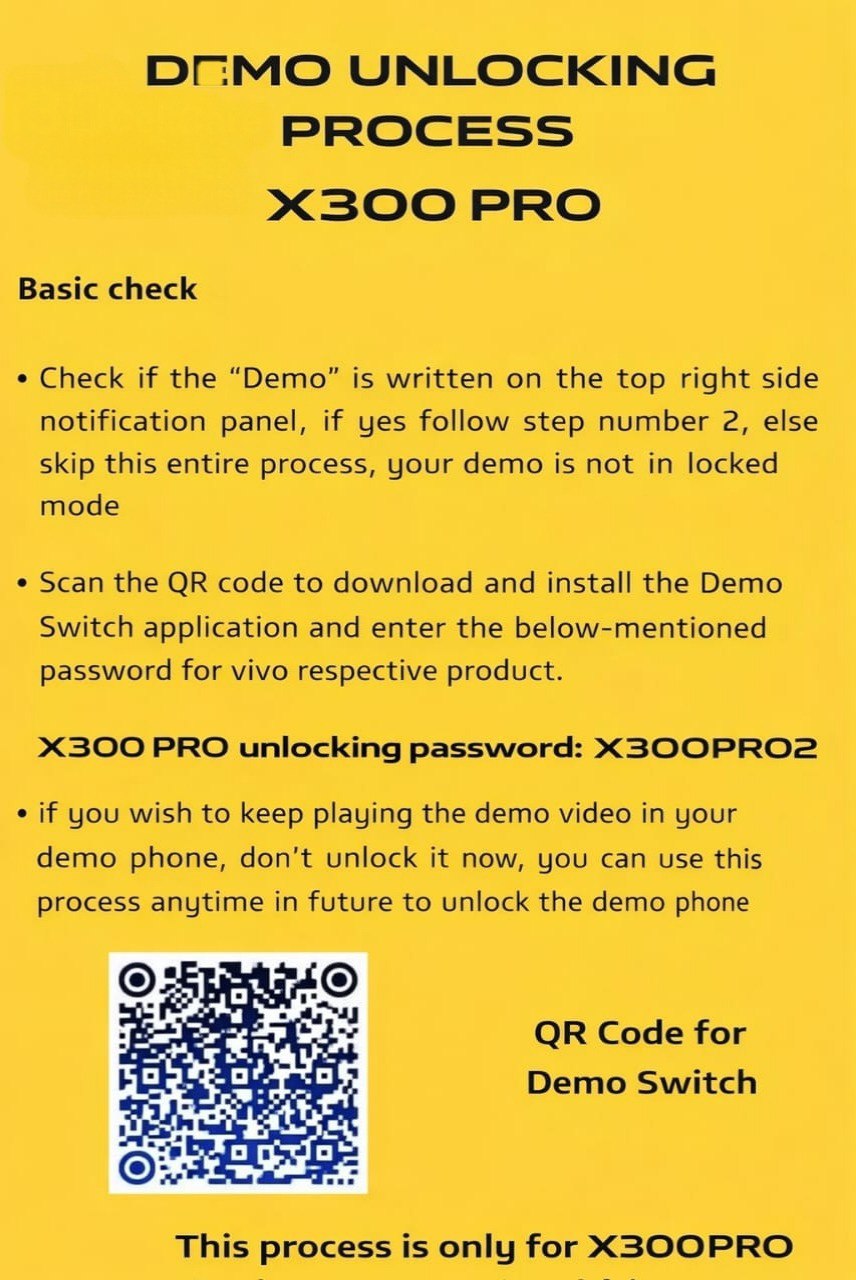
Vivo X300 & X300 Pro Demo Unlocking Process
Many Vivo display phones come with demo mode enabled.
This mode is mainly used for shop display units.
Because of this, the phone keeps playing demo videos and does not work like a normal device.
If you are using a Vivo X300 or X300 Pro and you see demo mode on your phone, this guide will help you understand how the official demo unlocking process works.
Quick Summary
Vivo X300 and X300 Pro demo phones can be unlocked using the official Demo Switch application.
If the word “Demo” appears in the notification panel, the phone is running in demo mode.
By installing the Demo Switch app and entering the correct password, demo restrictions can be removed.
Check Before You Start
First, swipe down the notification panel on your phone.
Look at the top right side of the screen.
If you see the word “Demo”, then your phone is locked in demo mode.
If you do not see “Demo” anywhere, stop here.
Your phone is not in demo lock and this process is not needed.
How Demo Unlocking Works
Vivo uses an internal tool called the Demo Switch application.
This app is not available on the Play Store.
The app is downloaded by scanning a QR code provided by Vivo.
After installing the app, a password is required to unlock demo mode.
Each Vivo model has its own password, so entering the correct one is very important.
Demo Unlock Passwords
For Vivo X300 Pro, the demo unlocking password is:
X300PRO2
For Vivo X300, the demo unlocking password is:
X3002026
Make sure the password is typed exactly as shown.
Do not add spaces or change letters.
Important Points to Remember
This demo unlocking process works only for Vivo X300 and Vivo X300 Pro.
Do not try these passwords on other Vivo phones.
It may not work and can cause problems.
If you want to keep the demo video running for display purposes, do not unlock the phone now.
You can use the same process later whenever you want.
Is This Method Safe?
Yes, this is an official demo removal method.
It does not flash the phone or change system files.
However, demo phones are usually meant for store display.
Always confirm the phone’s source before using it as a personal device.
Final Words
This guide is shared for learning and service information only.
Always follow brand rules and local laws when handling demo devices.