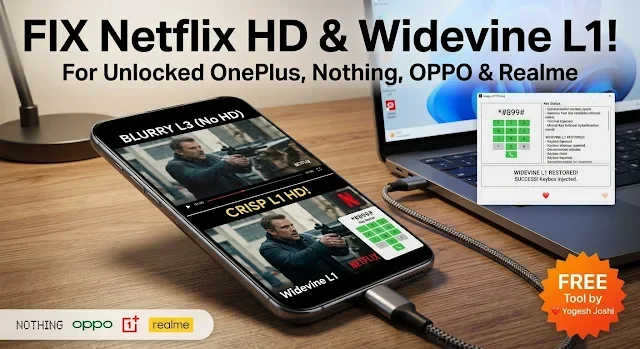
If you have unlocked your phone, you may notice that Netflix and other apps no longer play videos in HD. The video looks dull and blurry. This happens because your phone drops from Widevine L1 to L3 after unlocking.
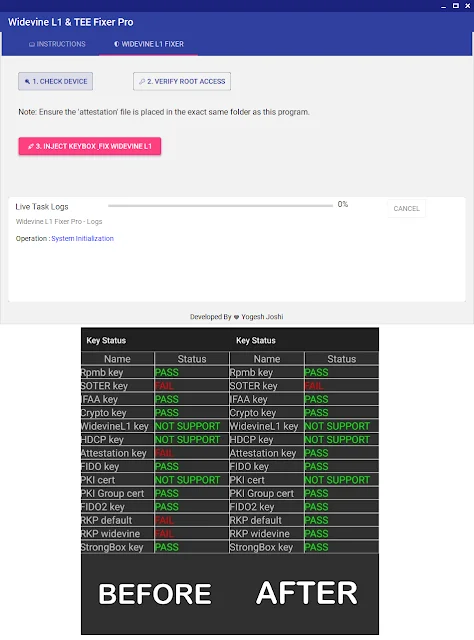
The good part is, you can fix this problem with a simple free tool. No hard steps, no coding. Just a few clicks and your HD streaming can come back.
What This Tool Does
Widevine L1 & TEE Fixer Pro is a small Windows tool that repairs the broken Widevine system on your phone. After using it, streaming apps like Netflix can play videos in clear HD again.
- Fixes Widevine from L3 to L1
- Repairs TEE security system
- Works on OnePlus, OPPO, Realme, Nothing
- Simple tool with easy buttons
- No need to type any commands
- Free to use
Why This Problem Happens
When you unlock your phone, it loses a special security check. Because of this, apps like Netflix think your device is not fully safe. So they lower the video quality.
That is why HD stops working and you only get low-quality streaming.
How to Use (Simple Steps)
Before you start:
- Bootloader must be unlocked
- Phone must be rooted (Magisk)
- USB Debugging should be ON
- Attestation file must be in tool folder
- Connect your phone to PC using USB
- Open Widevine Fixer tool
- Click Check Device
- Click Verify Root Access and allow permission
- Click Inject Keybox & Fix Widevine
- Wait for success message
- Reinstall Netflix after process
Download Widevine Fixer Pro
FAQs
What is Widevine L1?
It is a security system that allows HD video in apps like Netflix. Without it, you only get low quality.
Will this work on all phones?
No. It mainly works on OnePlus, OPPO, Realme, and Nothing devices with supported chips.
Do I need a PC?
Yes. This tool works on Windows, so you need a computer to run it.
Is this fix permanent?
Yes. In most cases, the fix stays even after restart.
Will this fix banking apps?
No. This tool only fixes streaming quality, not banking app detection.