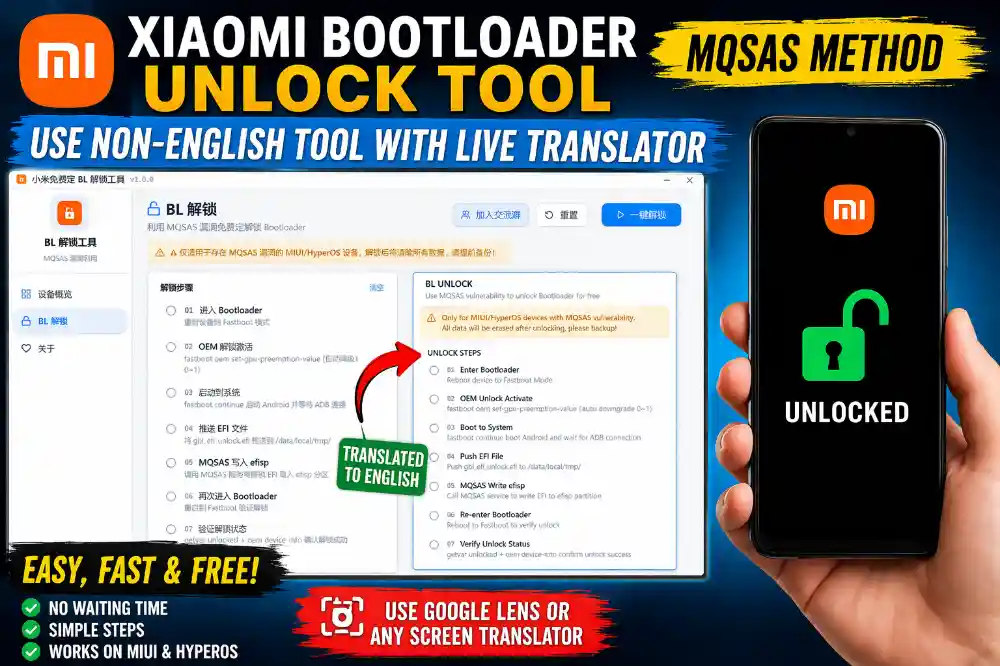
How to Use Xiaomi Bootloader Unlock Tool (Chinese Tool) Using Live Translator – Full Easy Guide
Many new Xiaomi tools are coming these days, and some of them are very useful but the problem is they are not in English.
One popular tool for Xiaomi bootloader unlock is based on MQSAS method, but the tool is in Chinese language.
When users open the tool, they don’t understand any button or option and get confused.
But there is a simple solution for this problem. You can use a live screen translator to translate the tool into English while using it.
In this article, I will explain everything in very simple words so anyone can understand and use this tool easily.
What is Xiaomi Bootloader Unlock Tool
This tool is used to unlock the bootloader of Xiaomi phones. Normally, Xiaomi bootloader unlock needs official permission from Xiaomi and you also have to wait many days.
Sometimes the unlock permission is not approved and users cannot unlock the phone.
This new tool works in a different way and helps unlock the bootloader without waiting for official permission.
The tool works using MQSAS method and it performs automatic steps like entering fastboot mode, pushing files, writing EFI file, and verifying unlock status.
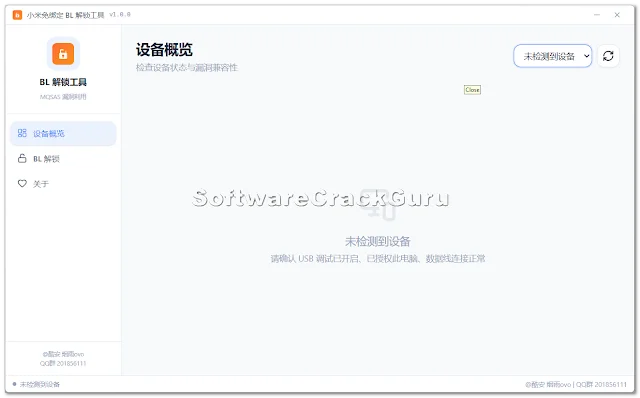
But the only problem is the tool interface is in Chinese language.
Main Features of the Tool
- Free Xiaomi Bootloader Unlock
- No need to wait for official unlock permission
- Works on MIUI and HyperOS devices
- One click unlock button
- Automatic fastboot and ADB process
- Unlock status verification
- Device connection check
- Shows running logs during unlock
Why You Need Live Translator
Because the tool is completely in Chinese language, it is very difficult to understand which button to press.
If you press the wrong button, the process may fail.
So the best and easiest way is to use a live translator.
You can use:
- Google Lens (from mobile camera)
- Microsoft Translator Screen Translate
- Google Translate Camera
- Any Screen Translator Software
These apps will translate Chinese text into English on your screen in real time.
So you can understand every button and option easily.
How I Use This Tool in My Shop (Real Experience)
Many customers come to my shop with Xiaomi phones that need bootloader unlock for flashing or software repair.
Official unlock takes many days and customers don’t want to wait.
So I tested this tool on some Xiaomi devices.
First time it was confusing because everything was in Chinese.
Then I used Google Lens from another phone and translated the screen.
After that everything became easy to understand.
I followed the steps and the bootloader unlocked successfully.
After that I used this tool on more devices and it worked on many phones.
But one important thing: Bootloader unlock will erase all data from the phone.
So always take backup before unlocking.
Step by Step Guide to Use the Tool
- Install ADB and Fastboot drivers on computer
- Enable USB Debugging in Xiaomi phone
- Connect phone to PC using USB cable
- Open the Bootloader Unlock Tool
- Use Google Lens or Screen Translator to translate the tool
- Put phone into Fastboot mode
- Click One Click Unlock button
- Wait for the process to complete
- Phone will reboot automatically
- Bootloader will be unlocked
Advantages of This Tool
- No waiting time for unlock permission
- Simple unlock process
- Good for mobile repair shops
- Works with many Xiaomi devices
- Automatic process
- Saves time
Download Section
You can download the tool from the developer source or trusted GSM forums.
Always scan the file before using and use this tool at your own risk.
It is recommended only for experienced users or technicians.
FAQs
Q1. Is the tool in English?
No, the tool is in Chinese language, so you need a live translator.
Q2. Will bootloader unlock erase data?
Yes, unlocking bootloader will erase all phone data.
Q3. Can beginners use this tool?
Yes, but use a screen translator so you understand the buttons.
Q4. Does this work on all Xiaomi phones?
It works only on supported MIUI and HyperOS devices.
Q5. Is internet required?
Yes, internet connection is recommended during the unlock process.