Bobik Activation Lock Bypass Tool – iPhone Signal Working After Bypass Guide
Many old iPhones come with Activation Lock and the phone becomes useless because it asks for old Apple ID. Bobik tool is made to bypass this Activation Lock on older iPhone and iPad devices. After bypass, the phone opens normally and you can use apps, WiFi, and sometimes SIM signal also comes. But one important thing is that on some devices calling may not work even if signal is showing.
About This Tool
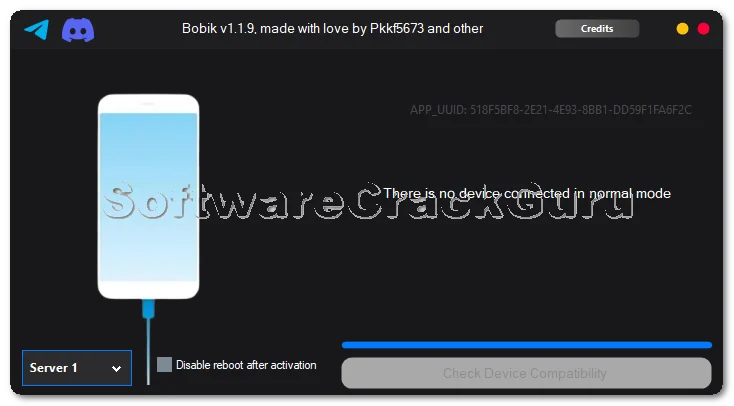
This tool is mainly used for older Apple devices like iPhone 4S, iPhone 5, iPhone 5C, iPhone 5S and some iPads. These devices often get stuck on Activation Lock screen after reset. With this tool, the device can be activated and opened without the original Apple ID. The tool connects the device, reads device details, and then completes the activation process using server option.
Signal After Activation Lock Bypass
Many people ask one question after bypass – will signal work? The answer is yes, in many devices signal bars will come and SIM will be detected. Mobile data may also work. But calling and SMS may not work on some models. This is normal for bypass devices, so users should understand this before doing bypass.
Which Devices This Tool Is For
This tool is mainly for older devices like iPhone 4S, iPhone 5, iPhone 5C, iPhone 5S and similar iPad models. These devices are old now but still many people use them for basic work like YouTube, internet, music, and apps. After bypass, these devices can still be useful.
Main Features
- Activation Lock bypass
- Device detection automatically
- Shows device model
- Shows iOS version
- Shows IMEI and Serial Number
- Server selection option
- Activation process with progress bar
- Device restart after process
- Signal may work after bypass
- Simple interface
Real Shop Experience
One person came to my shop with an iPhone 5C. He forgot Apple ID and the phone was locked on activation screen. The phone was completely unusable. I connected the phone to Bobik tool and started the process. After some time, the phone restarted and opened normally. When we inserted SIM, signal bars came and internet worked. Calling was not working, but the customer was happy because he could use WhatsApp, YouTube, and internet.
How To Use This Tool
- Open the Bobik tool on computer
- Connect iPhone or iPad using USB cable
- Wait until device is detected
- Select Server 1 from the server list
- Start activation process
- Wait for progress bar to finish
- Device will restart automatically
- Insert SIM card and check signal
Important Notes
- This is bypass, not full unlock
- Signal may work but calling may not work
- Works mainly on older devices
- Internet connection required
- Install Apple drivers before using tool
Download
Download the Bobik Activation Tool from the official link provided by the developer. Always install Apple drivers and keep internet connected before starting the tool.
FAQs
Q1. Is this full unlock?
No, this is Activation Lock bypass.
Q2. Will SIM signal come?
Yes, in many devices signal comes after bypass.
Q3. Will calling work?
Calling may not work on some devices.
Q4. Which iPhones supported?
Mostly older iPhones like 4S, 5, 5C, 5S.
Q5. Can I use internet after bypass?
Yes, WiFi and mobile data may work.