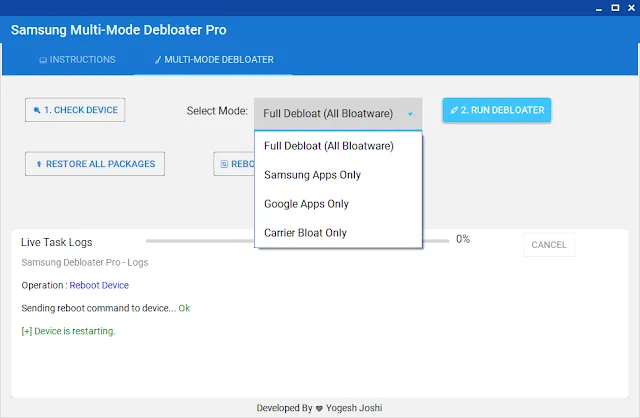
Clean Your Samsung Phone & Boost Speed (Free Debloater Tool)
Samsung phones often come with many extra apps that most people never use. These apps stay in your phone, take storage, and can make the device feel slow over time.
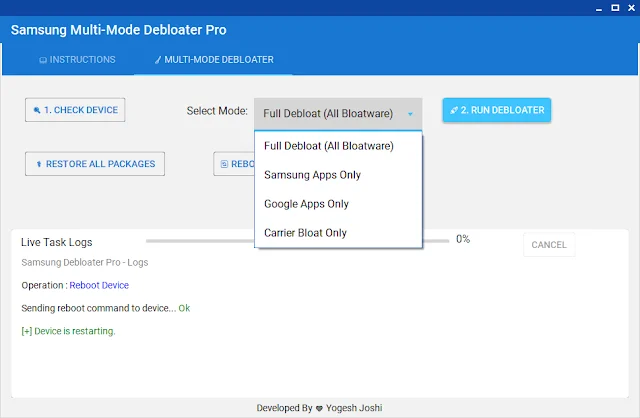
The good part is, you can easily clean them. In this guide, I will show you how to remove these unwanted apps using a simple free tool called Samsung Multi-Mode Debloater Pro. No root needed, and the process is very easy.
Main Features
- Completely free tool
- No root or risk involved
- Remove unwanted system apps
- Works with most Samsung devices
- Simple one-click process
- Option to restore apps anytime
Latest Updates
- New: Easy one-click cleaning option added
- Improved: Faster detection of device
- Updated: Cleaner and simple interface
File Details
Tool Name: Samsung Multi-Mode Debloater Pro
File Size: Around 15MB
Platform: Windows PC
Type: Free
Password: 1234
How to Use
- Download the file from the link below
- Extract it using WinRAR or 7-Zip
- Enter password if needed (click to copy)
- Open the tool on your computer
- Enable USB Debugging on your phone
- Connect your phone using USB cable
- Click on CHECK DEVICE
- Allow permission on your phone screen
- Select apps you want to remove
- Click RUN DEBLOATER
- Wait for process and restart your phone
Why You Should Use It
- Phone runs smoother
- More free storage space
- Better battery life
- Less unwanted apps
- Safe and simple method
Download Now
FAQs
- Will my data be deleted? No, your personal data stays safe.
- Is root required? No, it works without root.
- Can I undo changes? Yes, you can restore apps anytime.
- Is it safe to use? Yes, it only disables apps.
- Does it support all phones? Best performance on Samsung devices.