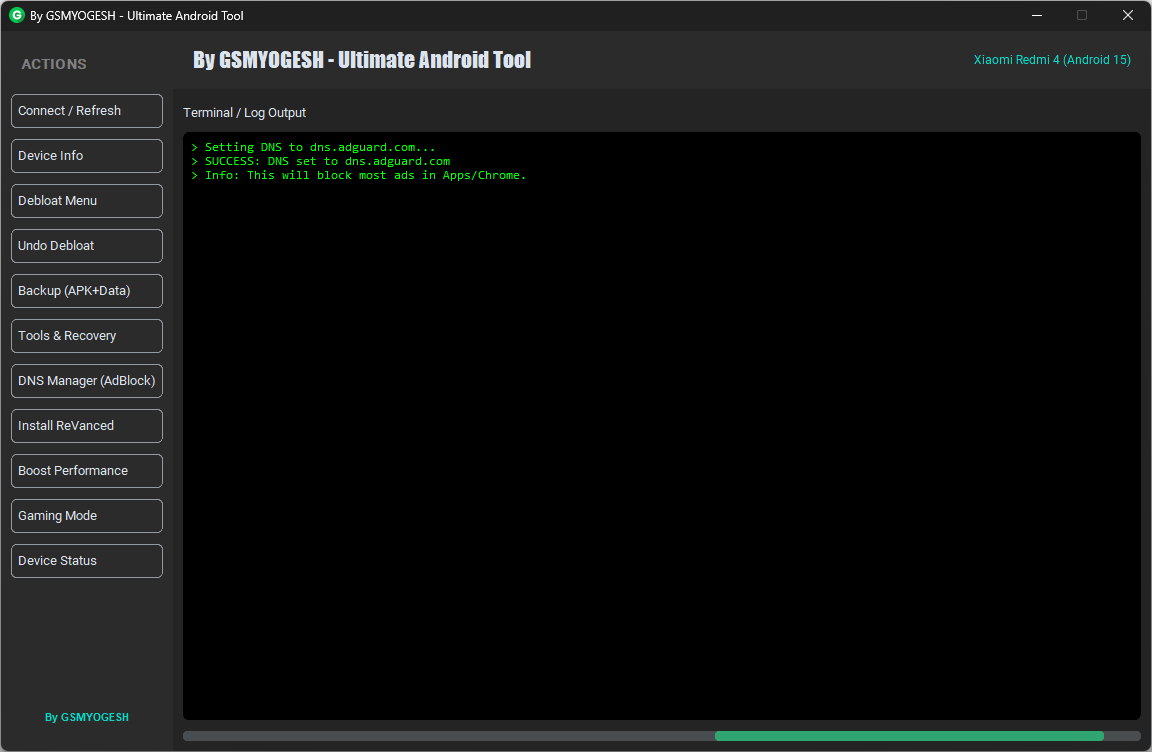
Ultimate Android Tool by GSMYOGESH.COM:- We all know the feeling. Your phone was fast when you bought it, but after a few months it starts acting slow. WhatsApp freezes. Games stutter. Apps take forever to open.
Most people think:
“This phone is old now. I should replace it.”
But here’s the truth:
Your phone isn’t broken.
It’s just stuffed with junk files, hidden background apps, and unwanted bloatware.
To fix this, I built a small tool — and I’m giving it to you for free.
It’s called the By GSMYOGESH Ultimate Android Tool, and it can make your phone feel brand new.
Also – Android Device Manager By GSMYOGESH
Here’s how it helps 👇
1. Remove Useless System Apps
Brands like Vivo, Oppo, Xiaomi, and others load phones with apps you’ll never use.
Theme stores, browser apps, random games… they all run quietly in the background, draining battery and slowing performance.
And the worst part? You can’t uninstall them normally.
My tool solves this problem.
Just connect your phone → click Debloat → done.
The unwanted apps are removed safely, and your phone instantly feels lighter.
2. Block Annoying Ads
Mobile browsing is painful when ads keep popping up everywhere.
That’s why the tool includes DNS Manager.
Pick AdGuard from the list, and the tool updates your DNS settings.
Most ads vanish automatically, leaving your browser clean and smooth.
3. Boost Gaming Performance
If you play BGMI, Free Fire, or any heavy game, lag is your biggest enemy.
The tool’s Gaming Mode shuts down unnecessary background processes so your phone focuses only on the game.
More free RAM = smoother gameplay.
It’s simple, but it works.
4. 100% Free to Use
I’m not selling this tool.
The only thing I ask:
When you open it for the first time, it will ask you to Subscribe to my YouTube channel.
One click supports my work, and you get the full tool for free.
Fair deal, right?
How to Use It Ultimate Android Tool
No coding. No technical skills. Just follow these steps:
- Download the tool on your PC or laptop.
- Connect your phone with a USB cable.
- Click the Connect button inside the tool.
- Choose what you want — Clean RAM, Debloat, Gaming Mode, etc.
That’s it.
Before you spend money on a new phone, try this once.
You’ll feel the difference immediately.
Download Link Ultimate Android Tool
https://www.mediafire.com/file/iqqxwwbq2fgksfk/Ultimate_Tool_GSMYOGESH.rar/file