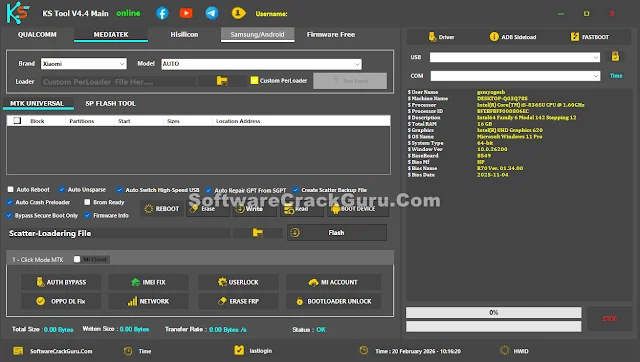
KS Tool 4.4 Free Download (Offline Version – No Login Required)
KS Tool 4.4 has been released and now it is completely free to use. You do not need any login or activation. Just install it and start using it.
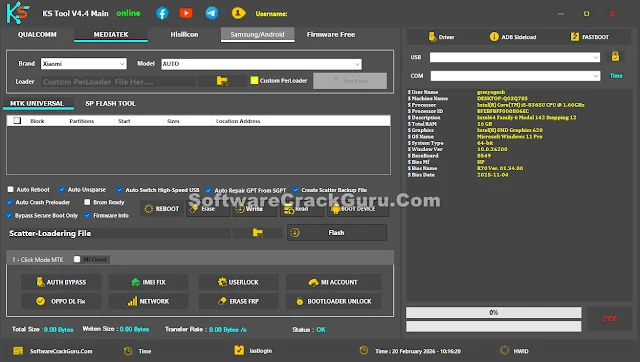
This version supports new 5G devices and works smoothly on Android 15 and Android 16. The tool runs offline, which means you must keep your internet turned off while using it.
Important Before Installation
Please use this tool strictly in offline mode. If your internet is connected, the tool may auto update and stop working properly.
- Uninstall any old version first.
- Install this new version fresh.
- Disconnect your PC from the internet before opening the tool.
Following these steps will help you avoid errors.
KS Tool 4.4 Main Features
Qualcomm Features
- Erase FRP (Google Lock)
- Factory Reset and remove screen lock
- Disable Mi Account
- Unlock Bootloader
- Erase Huawei ID
- Flash firmware using rawprogram file
- Read and write partitions
- Backup, restore and erase NV data
- Reboot to EDL from Fastboot
MediaTek (MTK) Features
- Erase FRP
- Factory reset and remove lock
- Mi Account bypass
- Unlock or relock bootloader
- Flash firmware with scatter file
- Read, write and erase partitions
- Backup and restore network data
- IMEI repair
- Auth bypass
- Fix Oppo download error
Fastboot Features
- Read device information
- Flash firmware using flash_all file
- Erase FRP
- Factory reset
- Fix system destroyed error
- Fix DM Verity
- Reboot to EDL, recovery and other modes
ADB & Sideload Features
- Read device info
- Remove FRP
- Factory reset
- Disable Mi Account (MIUI 13/14/HyperOS)
- Disable OTA updates
- Enable Diag mode
Samsung Features
- Read info in MTP mode
- Enable ADB for FRP removal
- Open browser in MTP mode
- Factory reset in MTP mode
- Enter download mode
Extra Utilities
- One click driver installer
- Free firmware downloader for many models
Supported Brands
KS Tool supports many brands including Xiaomi, Redmi, Poco, Vivo, Oppo, Realme, Huawei, Honor, Samsung, OnePlus, Meizu and more. It works with both Qualcomm and MediaTek devices.
The supported list includes popular series like Redmi Note, Mi Series, Poco Series, Vivo Y Series, Oppo A Series, Samsung A Series and many others.
How to Use KS Tool 4.4
- Download the RAR file from the link below.
- Extract the file using password: softwarecrackguru
- Open the folder and right click on KS Tool Online 1.exe
- Select Run as Administrator
- If a small Microsoft Framework error appears, click Continue.
- Wait for the tool to open.
- Now you can use all features without login or activation.
Make sure your internet is turned off while using the tool.
Download KS Tool 4.4
KS Tool V4.4 With Loader:
Download Here
KS Tool V4.3:
Download Here
KS Tool V4.1 Official:
Download Here
Final Words
KS Tool 4.4 is simple, free and easy to use. Just remember one thing. Always run it offline. If you follow the steps correctly, it works smoothly.
Use the tool carefully and only for service and repair purposes.